Web development सीखना चाहते हैं? समझिए HTML Document Structure का complete breakdown। Doctype, Head, Body और essential tags का रोल सीखें बिल्कुल आसान Hinglish में।
HTML Document Structure: Complete Guide for Beginners
जब आप Web Development सीखना start करते हैं, तो सबसे पहले आपको HTML का basic skeleton समझना होता है। जैसे किसी इमारत को बनाने के लिए मजबूत foundation की जरूरत होती है, वैसे ही किसी भी Web Page को create करने के लिए एक correct HTML Document Structure बेहद जरूरी है।
Vivaa Technologies के इस tutorial में आज हम HTML Document के सभी essential elements को step-by-step समझेंगे ताकि आपकी coding journey की शुरुआत मजबूत हो सके।
Anatomy of an HTML Document
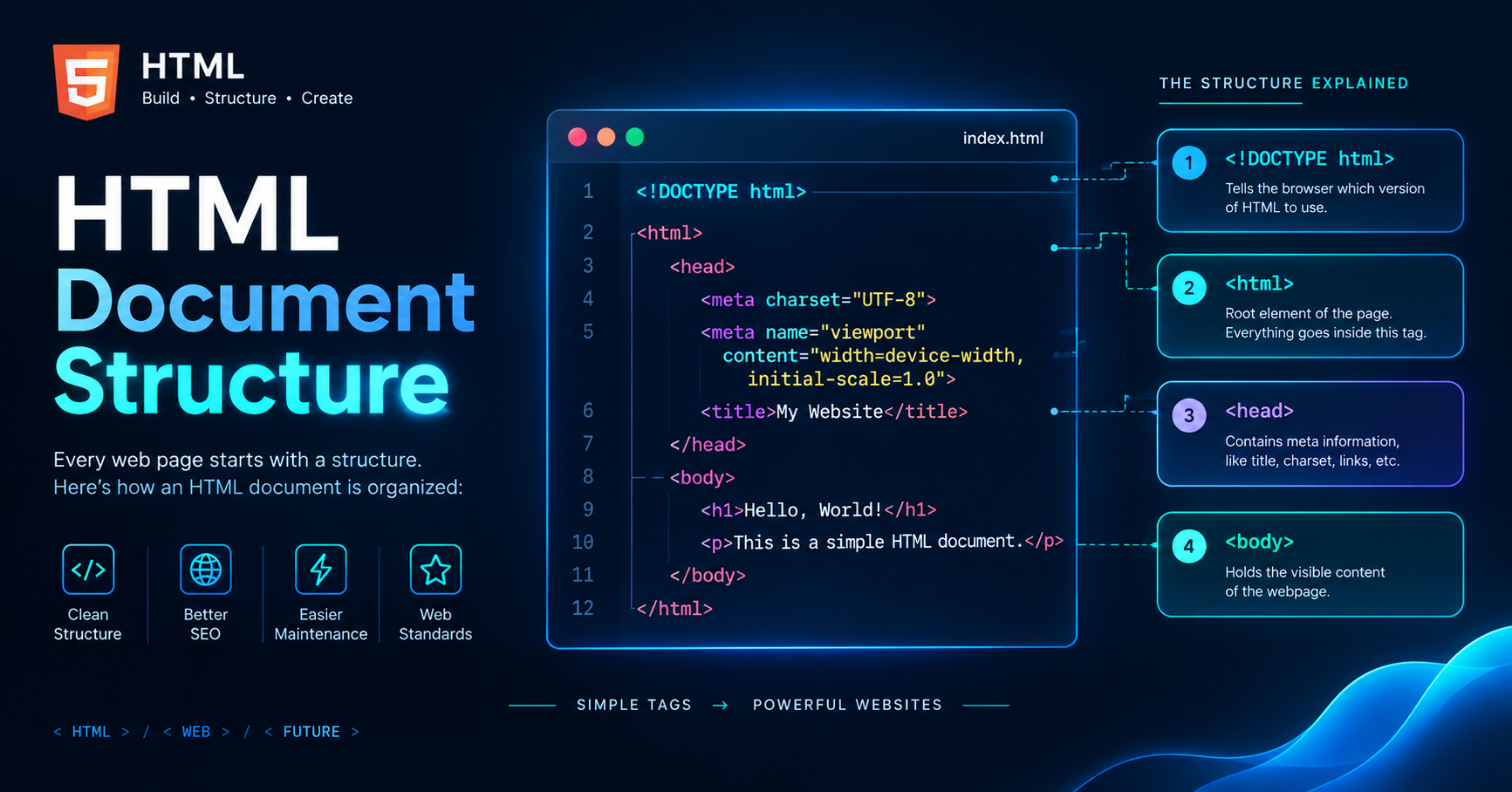
एक standard HTML5 document का structure कुछ इस तरह दिखता है:
<!DOCTYPE html>
<html lang="en">
<head>
    <meta charset="UTF-8">
    <meta name="viewport" content="width=device-width, initial-scale=1.0">
    <title>My First Web Page</title>
</head>
<body>
    <h1>Welcome to Web Development</h1>
    <p>This is my first structured web page.</p>
</body>
</html>
आइए इसके एक-एक tag का purpose और core function समझते हैं।
Essential Components Explained
<!DOCTYPE html>Declaration: यह document के सबसे ऊपर लिखा जाता है। यह browser को बताता है कि यह file HTML5 version में लिखी गई है, जिससे browser content को सही तरीके से render करता है।<html>Root Element: यह आपके पूरे document का root element होता है। बाकी सभी HTML tags इसी के अंदर लिखे जाते हैं।lang="en"attribute बताता है कि web page की primary language English है।<head>Section: यह section browser और search engines के लिए metadata contain करता है। इसमें लिखा गया content सीधे web page पर display नहीं होता।<body>Section: यह आपके web page का visible part है। Heading, Paragraph, Images, Links, Tables और Buttons जैसी सभी चीज़ें इसी section में लिखी जाती हैं।
Key Metadata inside Head Tag
<head> tag के अंदर कुछ बहुत महत्वपूर्ण elements होते हैं जो SEO और Responsive Design के लिए crucial हैं:
<meta charset="UTF-8">: यह character encoding set करता है ताकि browser सब तरह के text और special characters को सही से display कर सके।<meta name="viewport">: यह tag आपकी website को mobile-responsive बनाता है। यह screen size के हिसाब से layout को adjust करने में मदद करता है।<title>: यह आपके page का title तय करता है जो browser के tab में और Search Engine Result Pages (SERPs) में नज़र आता है।
Best Practices for Clean HTML Structure
Proper Indentation: Code को हमेशा प्रॉपर indent करें ताकि वह easily readable और maintainable हो सके।
Lowercase Tags: HTML में हमेशा lowercase tags use करने की आदत डालें, जैसे
<p>ना कि<P>।Always Close Tags: Self-closing tags को छोड़कर सभी tags को प्रॉपर closing tag (
</tag>) से बंद करें।
Conclusion
एक सही HTML Document Structure को समझना हर aspiring Full-Stack Developer का पहला कदम है। जब आपका foundation strong होगा, तो आगे CSS और JavaScript सीखना बेहद आसान हो जाएगा।
यदि आप Web Development को practical projects और expert mentorship के साथ सीखना चाहते हैं, तो Vivaa Technologies आपकी मदद के लिए हमेशा तैयार है। आज ही हमारे industry-oriented courses ज्वाइन करें और अपने tech career को सही दिशा दें।