सीखें कैसे CSS की मदद से boring lists और tables को professional और attractive design दिया जाता है। Vivaa Technologies की यह guide जरूर पढ़ें!
CSS में Lists और Tables को Stylish और Professional कैसे बनाएं?
Web development की journey में HTML के बाद CSS ही वह magic है जो एक simple webpage को एक stunning website में बदल देता है। जब हम websites पर data, navigation menus या information show करते हैं, तो lists (<ul>, <ol>) और tables (<table>) का use सबसे ज्यादा होता है। लेकिन browser के default styles काफी plain और boring लगते हैं।
अगर आप CSS lists and tables styling सीखना चाहते हैं, तो इस article में हम step-by-step सीखेंगे कि कैसे CSS की मदद से lists और tables को एक modern, clean और attractive look दिया जा सकता है। यह सारे concepts आपको Vivaa Technologies के web development course में भी detail में सिखाए जाते हैं।
CSS Lists Styling: Custom Bullets और Layouts
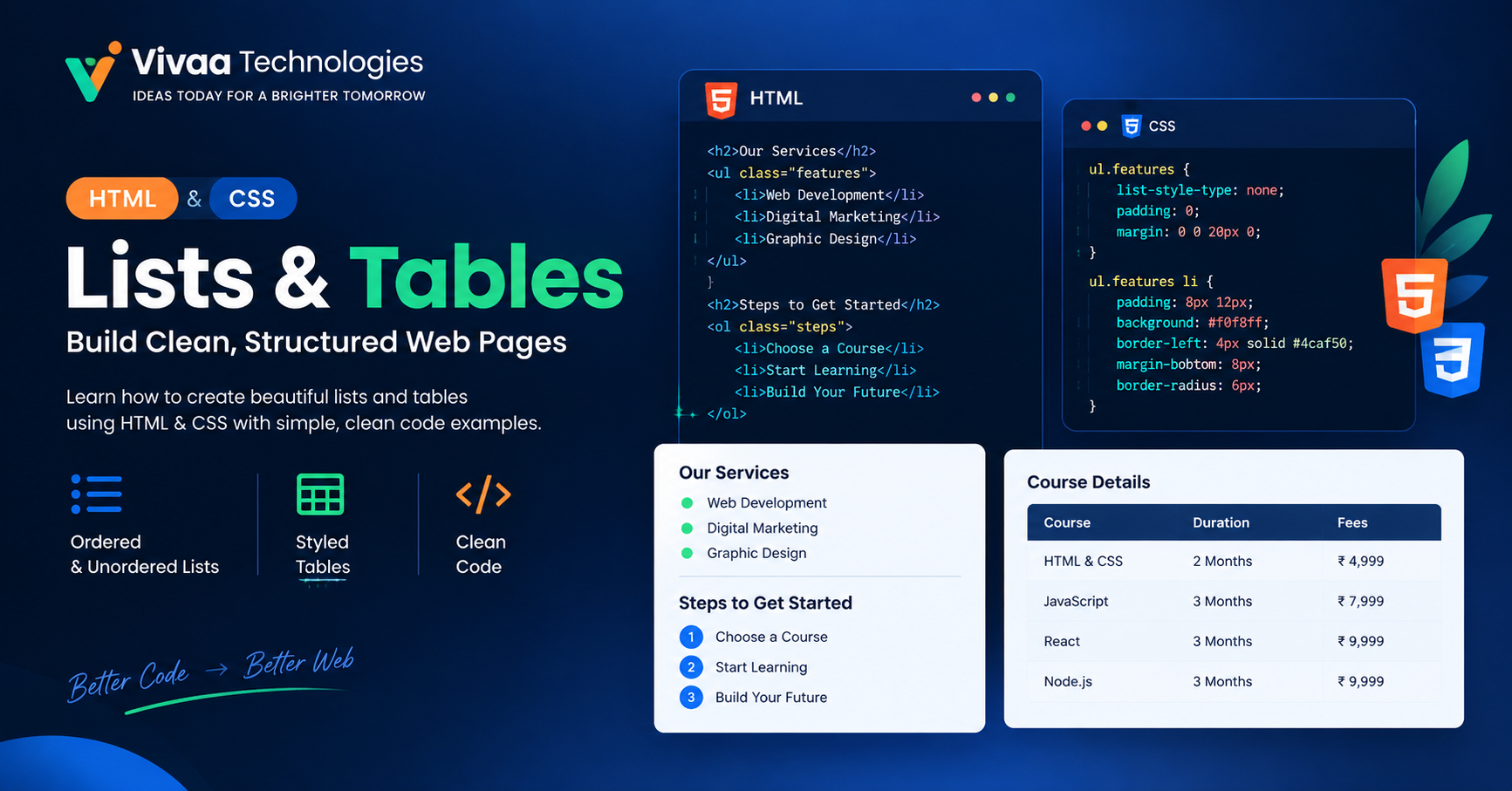
Default bullet points (disc, circle) अक्सर website के design के साथ match नहीं करते। CSS properties की मदद से हम lists को बिल्कुल अलग और professional look दे सकते हैं।
1. List Style Type और Position
list-style-type property से हम bullet के shapes change कर सकते हैं, और list-style-position से यह decide होता है कि bullet text के अंदर रहेगा या बाहर।
CSS
ul.custom-list {
  list-style-type: square;
  list-style-position: inside;
  padding: 0;
}

ul.custom-list li {
  padding: 8px 12px;
  margin-bottom: 5px;
  background-color: #f4f6f8;
  border-left: 4px solid #2563eb;
}
2. Horizontal Navigation Menu बनाना
Lists का use सिर्फ vertical data के लिए नहीं, बल्कि website के header navigation menus के लिए भी होता है। display: flex का use करके हम list items को horizontal align कर सकते हैं।
CSS
nav ul {
  list-style: none;
  display: flex;
  gap: 20px;
}

nav ul li a {
  text-decoration: none;
  color: #333;
  font-weight: 600;
}
CSS Tables Styling: Data को Clean और Readable बनाएं
HTML tables data को organize करने के लिए best हैं, लेकिन बिना CSS के यह बहुत ही पुराने जमाने की लगती हैं। CSS lists and tables styling के नियमों का पालन करके एक professional table बनाने के लिए कुछ core CSS properties का use किया जाता है।
1. Border Collapse और Spacing
Default HTML tables में double borders होते हैं। border-collapse: collapse का use करके हम एक single, clean border line create कर सकते हैं।
CSS
table.styled-table {
  width: 100%;
  border-collapse: collapse;
  font-family: Arial, sans-serif;
  margin: 25px 0;
  box-shadow: 0 0 20px rgba(0, 0, 0, 0.05);
}

table.styled-table th,
table.styled-table td {
  padding: 12px 15px;
  text-align: left;
  border-bottom: 1px solid #dddddd;
}
2. Header Design और Zebra Striping
Table को और ज्यादा readable बनाने के लिए हम header को dark background दे सकते हैं और rows में alternate colors (nth-child) use कर सकते हैं जिससे zebra effect मिलता है।
CSS
table.styled-table thead tr {
  background-color: #2563eb;
  color: #ffffff;
  text-align: left;
}

table.styled-table tbody tr:nth-of-type(even) {
  background-color: #f9fafb;
}

table.styled-table tbody tr:hover {
  background-color: #f1f5f9;
  cursor: pointer;
}
Conclusion
Lists और tables किसी भी web application के UI/UX design का बहुत important हिस्सा हैं। Proper CSS lists and tables styling से आप अपनी website का user experience काफी enhance कर सकते हैं।
अगर आप भी एक professional full-stack developer बनना चाहते हैं, तो आज ही Vivaa Technologies के web development programs को explore करें और अपनी coding skills को next level पर ले जाएं!