Web development में HTML lists सीखना एक basic लेकिन जरूरी step है। इस detailed tutorial में हम Ordered, Unordered और Description Lists के बारे में detail में जानेंगे।
HTML Lists: Ordered, Unordered और Description Lists सीखें Easily
जब आप किसी web page को design करते हैं, तो data को organized और readable format में दिखाना बहुत जरूरी होता है। चाहे आपको किसी blog post में bullet points दिखाने हों, किसी recipe के steps बताने हों, या किसी term की definition लिखनी हो, HTML lists आपके काम को आसान बनाती हैं।
Vivaa Technologies के इस tutorial में, हम HTML में lists के सभी प्रकार और उनके practical usage को detail में समझेंगे।
HTML में Lists कितने प्रकार की होती हैं?
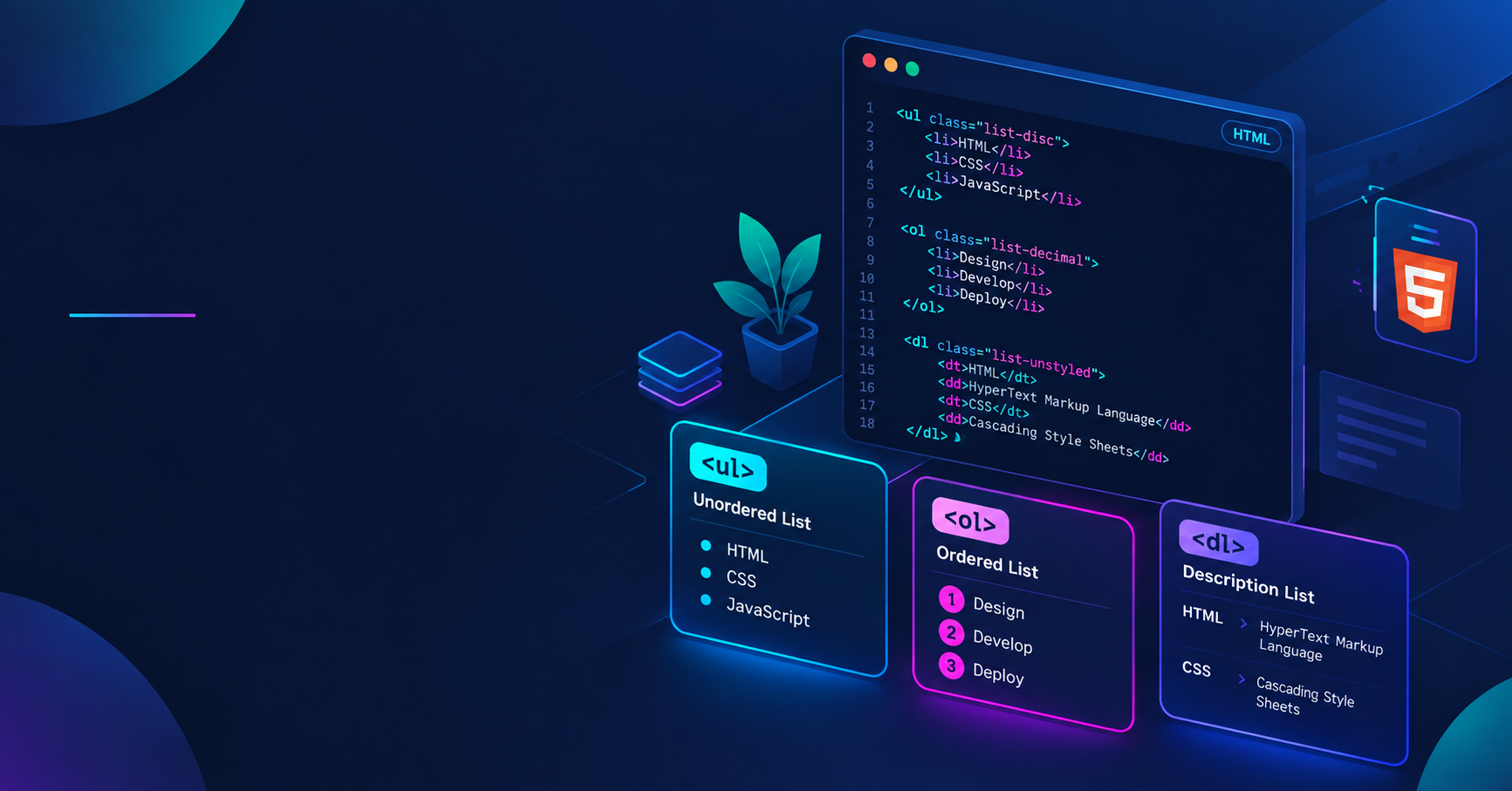
HTML में मुख्य रूप से तीन तरह की lists होती हैं:
Unordered List: Bulleted items के लिए
Ordered List: Numbered items के लिए
Description List: Terms और उनकी definitions के लिए
आइए इन तीनों को एक-एक करके detail में समझते हैं।
1. Unordered List (ul)
जब आपको items का sequence या order दिखाना जरूरी न हो, तब Unordered List का इस्तेमाल किया जाता है। इसमें items के आगे default रूप से bullet points होते हैं।
Unordered list बनाने के लिए <ul> tag का इस्तेमाल होता है, और हर list item को <li> tag के अंदर रखा जाता है।
Example Code:
HTML
<ul>
  <li>HTML5</li>
  <li>CSS3</li>
  <li>JavaScript</li>
</ul>
Output:
HTML5
CSS3
JavaScript
इसका उपयोग navigation menus, feature lists, या simple bullet points बनाने के लिए सबसे ज्यादा किया जाता है।
2. Ordered List (ol)
जब आपकी list में items का क्रम या sequence महत्वपूर्ण होता है, तब Ordered List का उपयोग होता है। इसमें items के आगे numbers, letters, या roman numerals होते हैं।
Ordered list के लिए <ol> tag और list items के लिए <li> tag का इस्तेमाल होता है।
Example Code:
HTML
<ol>
  <li>Project Setup करें</li>
  <li>HTML Code लिखें</li>
  <li>Browser में Test करें</li>
</ol>
Output:
Project Setup करें
HTML Code लिखें
Browser में Test करें
आप type attribute का उपयोग करके numbering style बदल सकते हैं, जैसे type="A", type="i", या type="1"।
3. Description List (dl)
Description List का उपयोग terms और उनके स्पष्टीकरण (definitions) को दिखाने के लिए किया जाता है। यह glossary या FAQ sections के लिए सबसे बेहतरीन tag है।
इसमें तीन मुख्य tags होते हैं:
<dl>: Description List को define करता है।<dt>: Term या name को define करता है।<dd>: Term की definition या description को define करता है।
Example Code:
HTML
<dl>
  <dt>Frontend</dt>
  <dd>Web page का वह हिस्सा जो user को screen पर दिखता है।</dd>
  <dt>Backend</dt>
  <dd>Server side logic जो database और application के साथ काम करता है।</dd>
</dl>
Nested Lists क्या होती हैं?
जब आप एक list के अंदर दूसरी list बनाते हैं, तो उसे Nested List कहा जाता है। यह complex navigation menus या sub-categories के लिए उपयोगी है।
HTML
<ul>
  <li>Web Development
    <ul>
      <li>Frontend</li>
      <li>Backend</li>
    </ul>
  </li>
  <li>Mobile App Development</li>
</ul>
Best Practices for HTML Lists
हमेशा सही semantic tags का इस्तेमाल करें ताकि SEO और accessibility बेहतर हो सके।
Screen readers के लिए structured content हमेशा पढ़ना आसान होता है।
Styling के लिए HTML attributes की बजाय CSS
list-style-typeproperty का इस्तेमाल करें।
निष्कर्ष
HTML lists सीखना web development की शुरुआत के लिए एक मुख्य कदम है। Ordered, Unordered, और Description lists का सही ज्ञान आपको एक बेहतर और structured webpage बनाने में मदद करता है। Full-stack web development में अपनी skills को अगले level पर ले जाने के लिए Vivaa Technologies के साथ जुड़े रहें।