Web development सीखते वक्त HTML web page में image add करना एक fundamental step है। इस guide में हम img tag, attributes, responsive images और web performance best practices को detail में समझेंगे।
HTML में Image कैसे Add करें: Complete Guide
जब आप एक webpage design करते हैं, तो सिर्फ text लिखना काफी नहीं होता। High-quality images आपकी website के visual appeal और user engagement को instantly boost करती हैं। अगर आप full-stack development सीख रहे हैं और जानना चाहते हैं कि HTML में image कैसे add करें, तो यह blog post आपके लिए ही है।
Vivaa Technologies में हमारा goal हमेशा आपको practical और industry-standard tech skills सिखाना है। आइए step-by-step समझते हैं कि HTML में images को सही तरीके से insert और optimize कैसे किया जाता है।
HTML Img Tag क्या है?
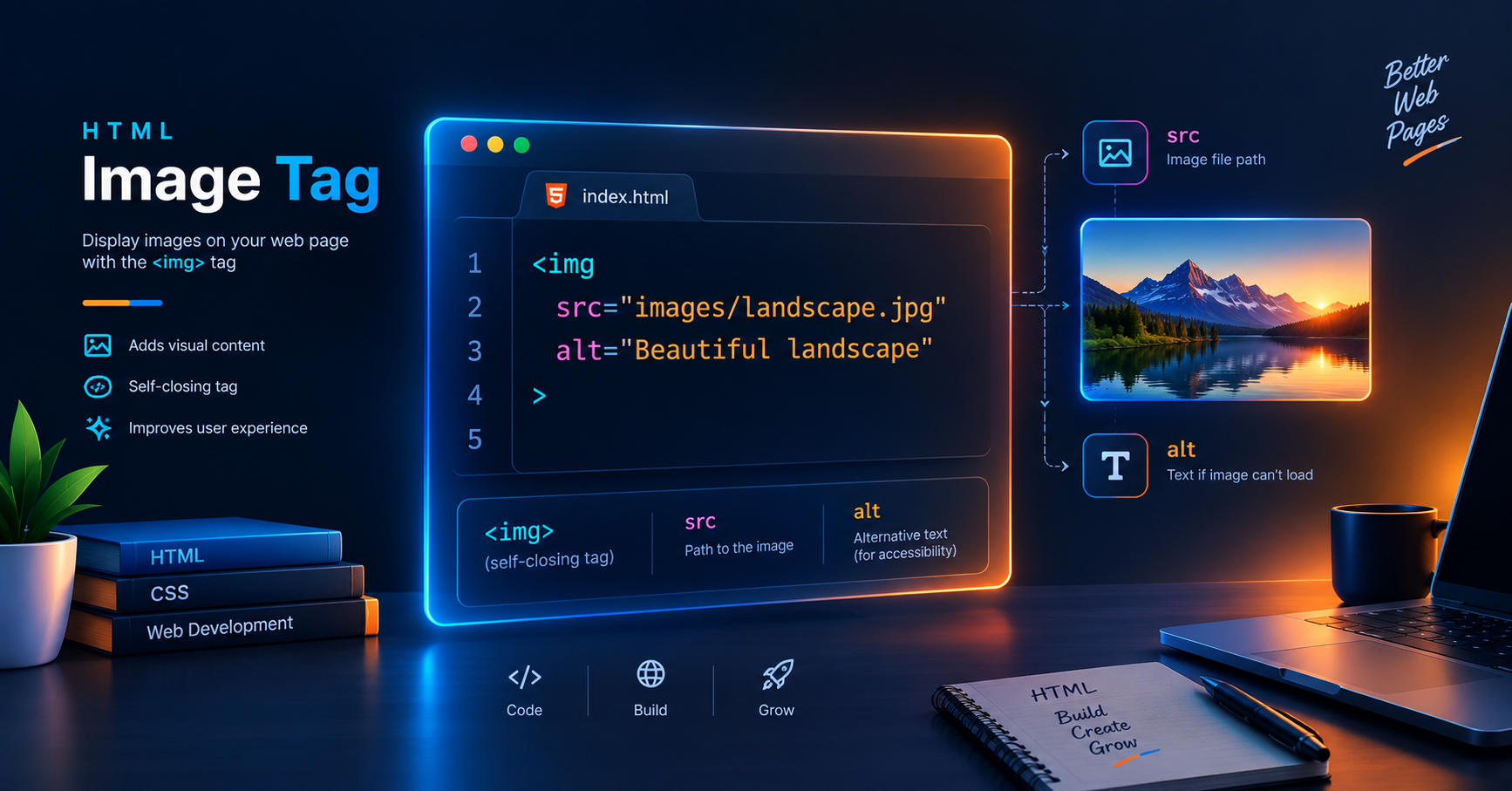
HTML में image display करने के लिए हम <img> tag का use करते हैं। यह एक self-closing या empty tag होता है, जिसका मतलब है कि इसका कोई closing tag (</img>) नहीं होता।
Basic Syntax:
HTML
<img src="image-path.jpg" alt="Image description">
Essential Attributes of Img Tag
<img> tag बिना attributes के काम नहीं करता। इसके दो सबसे important attributes होते हैं:
Src Attribute (Source)
srcattribute browser को बताता है कि image file कहां से load करनी है। यह दो तरह के paths accept करता है:
Relative Path: जब image आपके local project folder में हो (e.g.,
src="images/photo.jpg").Absolute Path: जब आप किसी external URL से image fetch कर रहे हों (e.g.,
src="[https://example.com/photo.jpg](https://example.com/photo.jpg)").
Alt Attribute (Alternate Text)
altattribute SEO और accessibility के लिए सबसे crucial component है। इसके दो main reasons हैं:
Screen Readers: Visually impaired users के लिए screen readers इस alt text को read करते हैं।
Fallback Display: अगर किसी कारण image load नहीं होती, तो screen पर यह text display होता है।
Image Dimensions Set करना
आप width और height attributes का use करके image की sizing control कर सकते हैं। Always specify dimensions to prevent Layout Shift (CLS) during page load.
HTML
<img src="developer.jpg" alt="Developer coding" width="600" height="400">
Industry Best Practice: Dimensions को HTML में define करें और responsive scaling के लिए CSS का use करें like max-width: 100%; height: auto;.
Web Performance के लिए Image Optimization Best Practices
सही File Format Select करें
WebP / AVIF: Modern web applications के लिए best formats हैं क्योंकि यह smaller file size में high quality provide करते हैं।
JPEG: Complex photographs और continuous tone images के लिए ideal.
PNG: Transparent background वाली images के लिए prefer करें।
SVG: Logos और icons के लिए scalable vector graphics format.
Lazy Loading Use करें अपनी site की loading speed increase करने के लिए native lazy loading enable करें। इससे image तभी load होगी जब user scroll करके वहां तक पहुंचेगा।
HTML
<img src="large-banner.jpg" alt="Tech Event" loading="lazy">
Common Mistakes to Avoid
Alt text को blank छोड़ना या keyword stuffing करना।
Massive file sizes (जैसे 5MB+ JPEG files) directly web page पर place करना।
Broken file paths का ध्यान न रखना case-sensitive servers पर।
Conclusion
यह समझना कि HTML में image कैसे add करें, काफी simple है, लेकिन performance और accessibility को ध्यान में रखकर code लिखना एक pro developer की पहचान है। Vivaa Technologies पर हम आपको ऐसे ही practical web development concepts को master करने में help करते हैं। Clean code लिखते रहें और web projects बनाते रहें।