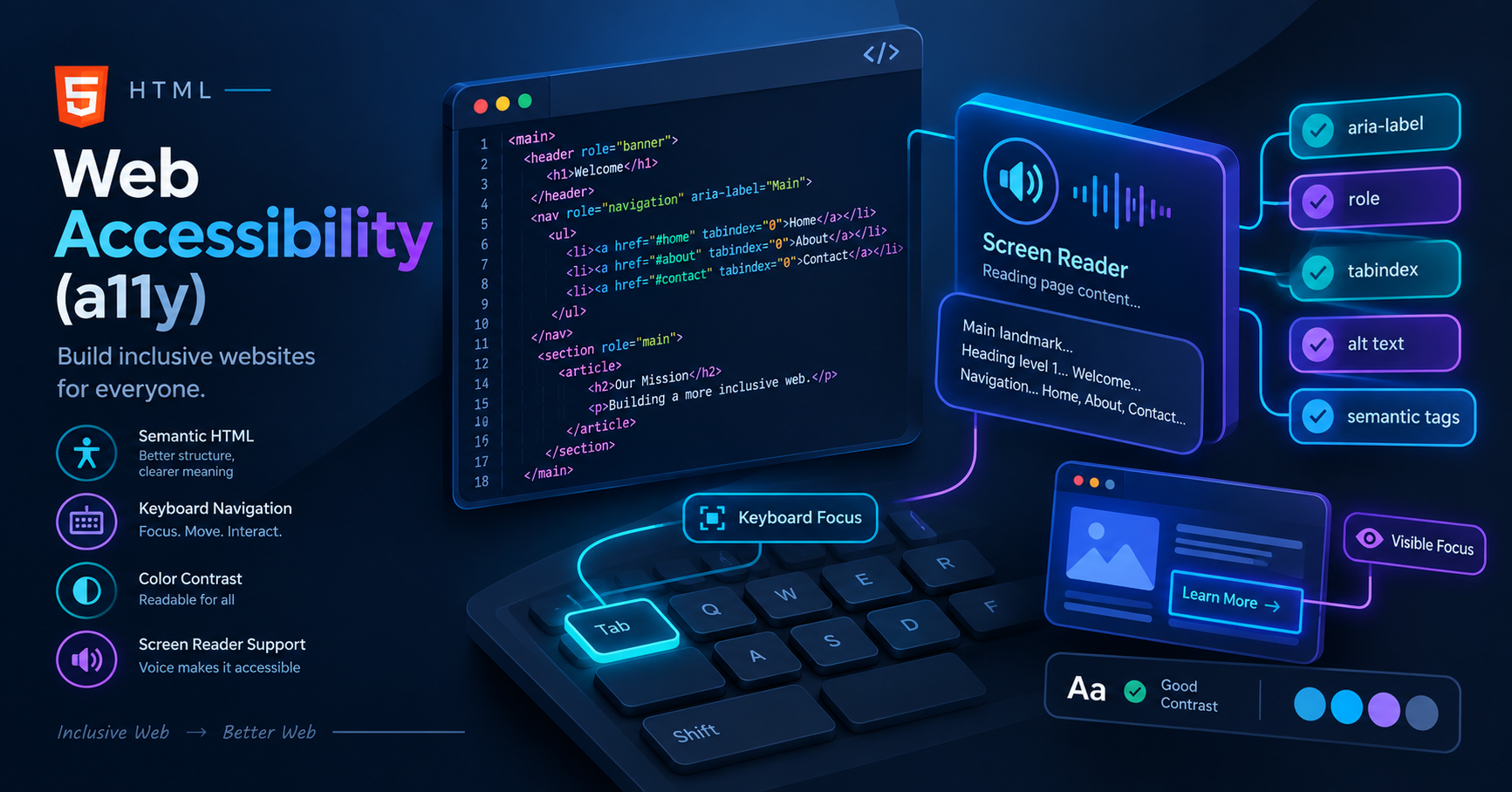
Web Accessibility (a11y) सीखें और जानें कैसे semantic HTML और ARIA attributes की मदद से आप अपनी website को हर user के लिए readable और usable बना सकते हैं। Vivaa Technologies के इस tutorial में beginner-friendly best practices समझें।
Web Accessibility in HTML (a11y) क्या है? Best Practices Guide
आज के digital दौर में website बनाना जितना आसान हो गया है, उतना ही ज़रूरी यह भी है कि आपकी website हर एक user बिना किसी दिक्कत के access कर सके। चाहे user किसी physical disability से affected हो या mouse की जगह सिर्फ keyboard का इस्तेमाल कर रहा हो, आपका web application सभी के लिए readable और usable होना चाहिए। इसी तकनीक और गाइडलाइन्स को हम Web Accessibility in HTML या संक्षेप में a11y कहते हैं।
Vivaa Technologies में हमारा मक़सद हर developer को industry-standard development practices सिखाना है। इस guide में हम समझेंगे कि Semantic HTML और basic accessibility standards का उपयोग करके आप अपने full-stack projects को कैसे professional level पर ले जा सकते हैं।
Web Accessibility in HTML क्या है और यह ज़रूरी क्यों है?
Web Accessibility in HTML का सीधा मतलब है अपने web pages की कोडिंग इस तरह से करना कि screen readers, keyboard-only navigation, या बाकी assistive technologies का इस्तेमाल करने वाले users भी उसे बिना किसी रुकावट के browse कर सकें।
Key Benefits of Web Accessibility:
Better User Experience: Accessible websites सभी users के लिए clear और navigation-friendly होती हैं।
SEO Advantages: Google और बाकी search engines accessibility-friendly websites को priority देते हैं क्योंकि semantic code को crawl करना आसान होता है।
Legal Compliance: Global standards जैसे WCAG (Web Content Accessibility Guidelines) के मुताबिक digital inclusivity ज़रूरी होती है।
Semantic HTML का सही इस्तेमाल
Accessibility की सबसे पहली शर्त होती है correct semantic tags का चुनाव करना। Non-semantic tags जैसे <div> और <span> का ज़रूरत से ज़्यादा इस्तेमाल करने से screen readers page के structure को समझ नहीं पाते।
Bad Practice:
HTML
<div class="header">Website Title</div>
<div class="button" onclick="submitForm()">Submit</div>
Good Practice:
HTML
<header>
  <h1>Website Title</h1>
</header>
<button type="submit">Submit</button>
button element native keyboard focus और screen reader announcements automatically support करता है, जबकि div में ये capabilities missing होती हैं।
Essential Best Practices For Web Accessibility in HTML
1. Clear Form Labels और Input Associations
हर input element के साथ एक explicit label attach करना ज़रूरी है। इससे screen reader users को पता चलता है कि input box में क्या enter करना है।
HTML
<label for="user-email">Email Address</label>
<input type="email" id="user-email" name="email" required />
2. Images के लिए Descriptive Alt Attributes
जब किसी image का alt text set किया जाता है, तो screen readers उसे read करके user को बता सकते हैं। अगर image decorative है, तो empty alt attribute (alt="") use करना चाहिए।
HTML
<!-- Meaningful Image -->
<img src="dashboard-analytics.png" alt="Sales growth graph showing 25% increase in Q3" />

<!-- Decorative Image -->
<img src="divider-pattern.png" alt="" />
3. ARIA Attributes का सही Balance
WAI-ARIA (Web Accessibility Initiative - Accessible Rich Internet Applications) attributes का use तब करना चाहिए जब native HTML elements sufficient न हों। Unnecessary ARIA attributes use करने से screen readers confuse हो सकते हैं।
HTML
<div role="alert" aria-live="assertive">
  Form submitted successfully!
</div>
Summary
Web Accessibility in HTML कोई extra feature नहीं बल्कि अच्छे code quality की पहचान होती है। Semantic tags का सही इस्तेमाल, descriptive image alt tags, और clean form structures की मदद से आप अपनी website को सभी के लिए open और user-friendly बना सकते हैं।
Full-stack development के ऐसे ही in-depth tutorials और best practices के लिए Vivaa Technologies के साथ जुड़े रहें और अपने coding skills को अगले level पर ले जाएं।