Web development सीखते समय HTML में embedded content कैसे use करें, यह सीखना एक fundamental skill है। इस guide में iframe, video, audio, embed और object tags को detail में समझें।
HTML में Embedded Content कैसे Use करें: Complete Beginner Guide
जब आप आधुनिक web applications बनाते हैं, तो सिर्फ text और images पर्याप्त नहीं होते। एक rich user experience देने के लिए आपको अपने webpages में YouTube videos, Google Maps, audio files, PDFs या external web pages integrate करने होते हैं। अगर आप full-stack web development सीख रहे हैं और जानना चाहते हैं कि HTML में embedded content कैसे use करें, तो यह comprehensive guide आपके लिए तैयार की गई है।
Vivaa Technologies में हमारा goal हमेशा आपको practical और industry-standard tech skills सिखाना है। आइए step-by-step समझते हैं कि HTML के अलग-अलग tags की मदद से external media और content को आसानी से कैसे embed किया जाता है।
HTML में Embedded Content क्या है?
Embedded Content का सरल अर्थ है किसी external resource (जैसे video, audio, webpage या document) को अपने HTML document के अंदर सीधे display करना। इसके लिए HTML5 कई dedicated semantic tags और elements प्रदान करता है।
मुख्य Embedded Elements:
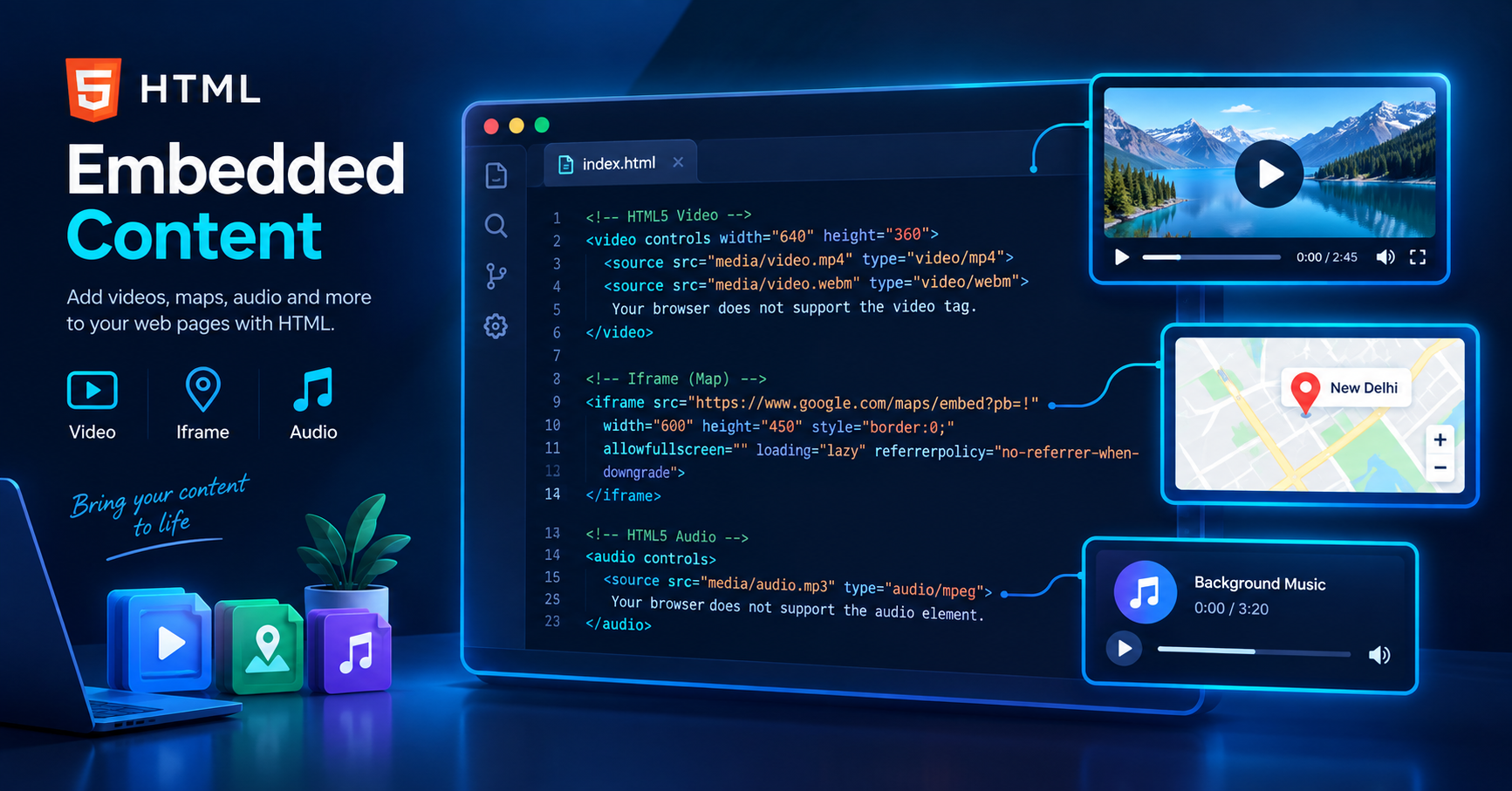
<iframe>: External webpages, maps या YouTube videos display करने के लिए।<video>: Self-hosted video files play करने के लिए।<audio>: Sound files या podcasts add करने के लिए।<embed>: External application ya interactive media insert करने के लिए।<object>: General media resources जैसे PDFs या SVG files embed करने के लिए।
1. Iframe Element Ka Use
<iframe> (Inline Frame) tag का उपयोग सबसे अधिक YouTube videos और Google Maps embed करने के लिए किया जाता है।
Basic Syntax:
HTML
<iframe src="https://www.example.com" width="600" height="400" title="Example Page"></iframe>
Important Attributes:
src: External URL निर्दिष्ट करता है।title: Accessibility और screen readers के लिए अत्यधिक आवश्यक है।loading="lazy": Page load time और web performance को improve करता है।
2. HTML5 Video Tag
यदि आपके पास local video file है, तो आप <video> tag का उपयोग करते हैं।
Syntax:
HTML
<video width="640" height="360" controls poster="thumbnail.jpg">
  <source src="movie.mp4" type="video/mp4">
  <source src="movie.webm" type="video/webm">
  Your browser does not support the video tag.
</video>
Key Attributes:
controls: Play, pause और volume control UI दिखाती है।poster: Video play होने से पहले thumbnail image display करता है।autoplayऔरmuted: Video स्वतः चलाता है (Browsers में autoplay के लिए muted होना अनिवार्य है)।
3. HTML5 Audio Tag
Audio files जैसे podcasts या background music जोड़ने के लिए <audio> tag का प्रयोग करें।
Syntax:
HTML
<audio controls>
  <source src="audio.mp3" type="audio/mpeg">
  <source src="audio.ogg" type="audio/ogg">
  Your browser does not support the audio element.
</audio>
4. Embed और Object Tags
जब आपको SVG files या PDF documents embed करने हों:
HTML
<!-- PDF embedding with object tag -->
<object data="document.pdf" type="application/pdf" width="100%" height="500px">
  <p>Alternative text for unsupported browsers.</p>
</object>
Web Performance और Security Best Practices
Always Use Lazy Loading
<iframe>tags के लिएloading="lazy"attribute लागू करें ताकि page fast-load हो सके।Sandbox Attribute Security Unverified sources से iframes embed करते समय
sandboxattribute का उपयोग करके restrictions लगाएँ:
HTML
<iframe src="external-site.html" sandbox="allow-scripts allow-same-origin"></iframe>
Responsive Scaling CSS में
max-width: 100%;सेट करें ताकि media elements mobile screens पर responsive रहें।
Conclusion
यह जानना कि HTML में embedded content कैसे use करें, एक कुशल web developer बनने की दिशा में महत्वपूर्ण कदम है। सही attributes और performance optimizations लागू करके आप एक secure और fast user experience तैयार कर सकते हैं। Vivaa Technologies पर हम आपको ऐसे ही practical concepts मास्टर करने में मदद करते हैं। Clean code लिखते रहें और बेहतर projects बनाते रहें।